
One hub for all your reviewing
Reviewer Hub connects you to almost all journals on Editorial Manager, giving you one place to manage invitations, track your history, claim rewards and set your preferences.

Getting started
Sign in using your Elsevier Profile credentials. If you have not registered yet, head to Reviewer Hub and follow the on-screen steps.
Need help? Our Publishing Support Centeropens in new tab/window covers common setup questions.
What Reviewer Hub includes
Reviewer Hub supports your work across every stage of the peer review process, from managing incoming invitations to building a verifiable record of your contributions. Here is what you have access to once you sign in.
Manage peer review activities: Stay on top of every invitation. View abstracts, track deadlines, monitor pending reviews and access your full history across all connected Elsevier journals. You can accept or decline invitations and retrieve assignments directly from each journal’s Editorial Manager site
Complimentary access to Scopus, ScienceDirect and Reaxys: Each accepted invitation gifts you 30 days of complimentary access to Scopus, ScienceDirect and Reaxys. Claim your access in the Rewards section, available for up to six months after you agree to review
Review certificates: Download a recognized reviewer certificate for every Elsevier journal for which you have reviewed, a credential worth adding to your CV and professional profile
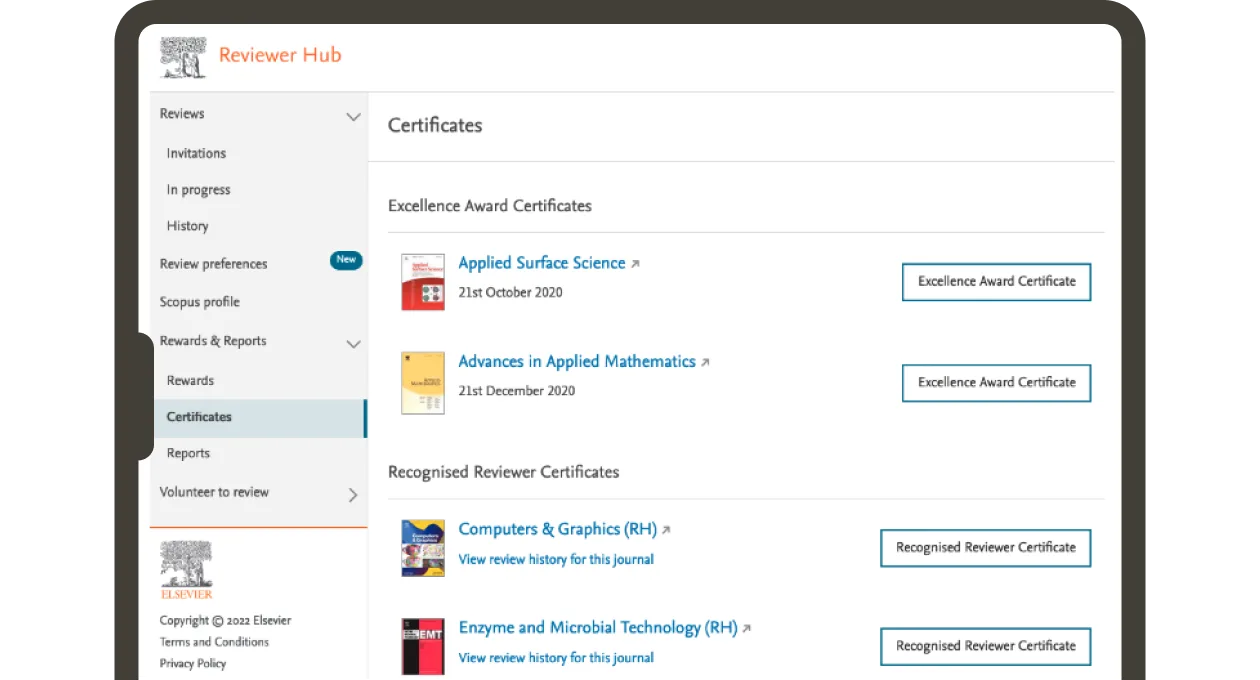
Certificates on the Reviewer Hub
Review history reports: Generate a custom report of your completed reviews for any time period. A practical record of your refereeing experience and a clear signal of your expertise to editors.
Scopus profile: Connect your Scopus profile to keep your research credentials current and boost your visibility to editors, especially when you have volunteered to review. You can update or manage linked profiles at any time.
Reviewer preferences: Indicate to editors when you are available and how many invitations you would like to receive. Customize your email and notification preferences so that you never miss out on anything relevant for you. Set your preferences across up to five periods and six months in advance, so the right invitations reach you at the right time.